Gaming Gear · Buying guide
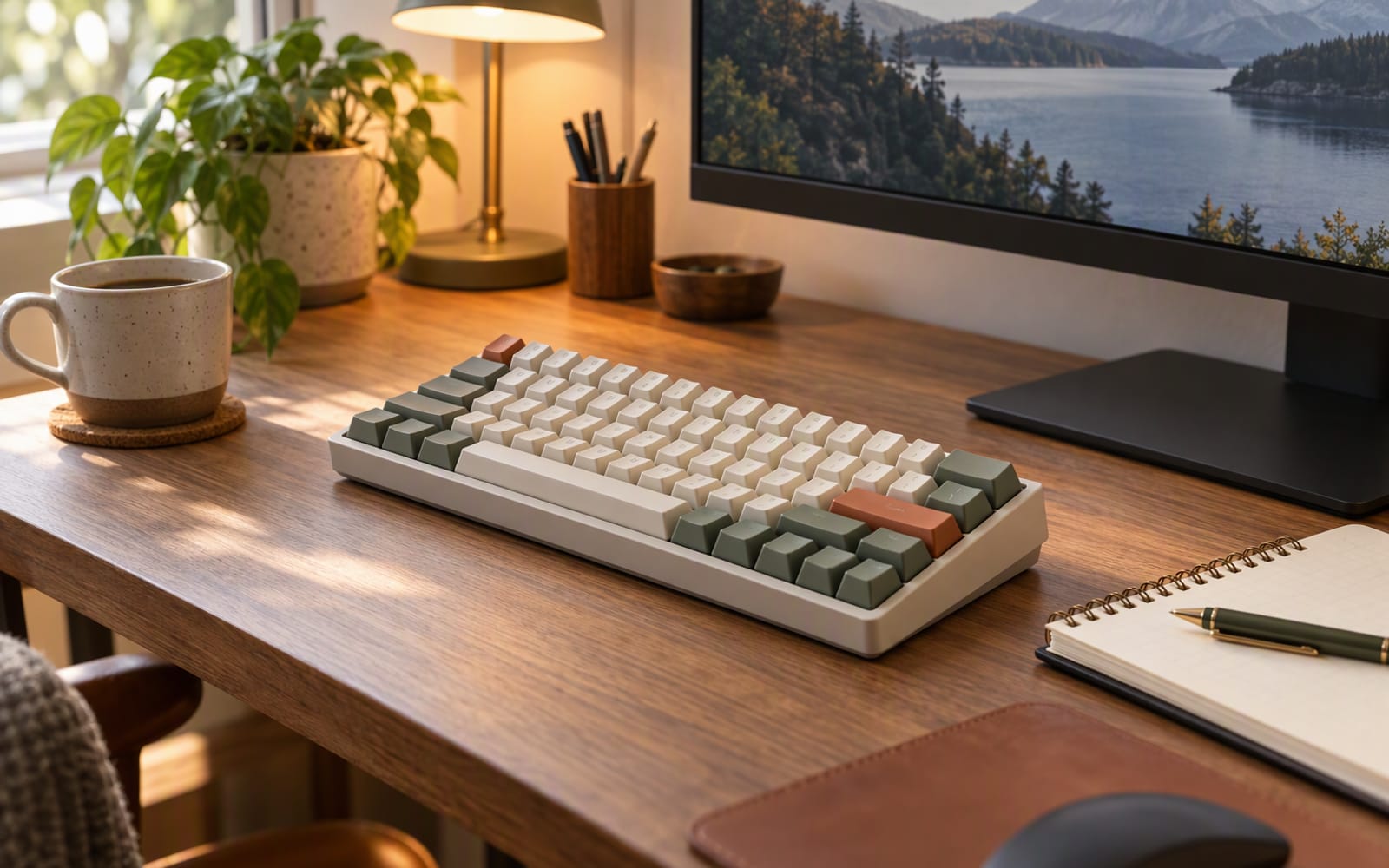
Consider a specific desk. It is 120 cm wide, pushed into the corner of a rented room. On it sit a laptop on a stand, a 27-inch monitor, a mug, and — because the room has no other flat surface — the keyboard, which has to serve a full working day of spreadsheets and email and then, after dinner, a couple of hours of something considerably more competitive.
Two constraints follow, and they should decide the purchase. The desk is narrow, so width is a cost you pay every day. And the keyboard is shared between two jobs with different priorities, so anything you compromise for one is paid for out of the other.
Start with layout, because it is the one decision you cannot undo
- Full-size keeps the number pad and the full navigation cluster. Right if you type numbers all day — accounting, data entry, spreadsheet-heavy work. It is also very wide, and on a small desk that width comes directly out of the space your mouse needs.
- Tenkeyless (TKL) drops the number pad and keeps everything else. It buys back roughly the width of a hand, which is usually what the mouse was asking for.
- 75% keeps the arrow keys and the function row but compresses the navigation cluster into the right-hand column. It is the smallest layout that still behaves like a normal keyboard, and on a narrow desk it is the one that lets you move a mouse properly.
The honest test: count how often you press a number pad key in a normal week. If the answer is “constantly”, buy full-size and accept the width. If it is “occasionally, and I could use the number row”, you are paying for desk space you would rather have back.
Hot-swap sockets are the feature that keeps paying
A hot-swappable keyboard lets you pull a switch out with a small tool and press a replacement in, with no soldering involved. That matters twice over. Switch feel is the most personal part of a keyboard, and no article can tell you whether you prefer a light linear switch or a heavier tactile one — being able to buy a bag of switches and change your mind is worth more than any other upgrade at this level. And a worn switch on a soldered board is a weekend project, while on a hot-swap board it is a five-minute fix with a spare from the bag.
All three boards below are hot-swappable, based on their published specifications. At the affordable end of the market it is the difference between buying a keyboard and buying a platform.
Bluetooth latency: important for gaming, irrelevant for typing
For typing, Bluetooth latency is a non-issue. Human typing runs at a few keystrokes per second, and the delay a Bluetooth link adds sits far below the threshold where anyone would feel it. The one moment it becomes noticeable is waking the keyboard from sleep, where the first keystroke after a long pause can take a moment to register. That is an annoyance, not a typing problem.
For gaming the picture changes. Waking from sleep mid-round is genuinely bad — you press a key and nothing happens. And fast games read rapid, precisely timed inputs, which is not what a battery-efficient radio link is designed to deliver. A 2.4 GHz dongle is the usual middle ground; a cable removes the question entirely.
If your gaming is casual, Bluetooth is fine. If you play anything where a missed input costs you, plan on the dongle or the cable.
Rule of thumb. Buy for the desk, not the spec sheet. A keyboard that is 10 cm too wide will annoy you every single day; a latency figure you cannot feel will not.
Gasket mount, and what “typing feel” really means
Gasket mounting suspends the plate that holds the switches on soft strips rather than screwing it hard into the case. The result is a slightly softer, less hollow keystroke and a lower-pitched sound, because the plate can move a little and the case stops acting as a drum.
It is a real improvement, but a matter of degree. A gasket-mounted board at an affordable price will not feel like a hand-built premium one, and the marketing around mounting styles has run ahead of the difference most people can perceive. Treat it as a good sign rather than a reason to pay more.
The bigger influences on daily feel are the switches themselves, the rigidity of the case, and whether the stabilisers on the long keys rattle. That last one is worth knowing: stock stabilisers are frequently the weakest part of a budget board, and a little tuning is the most effective thing you can do to a cheap keyboard.
Mac and Windows in one room
If you move between a Mac and a Windows machine, look for a physical layout toggle and keycaps carrying both sets of modifier legends. Software remapping works, but it has to be configured on every machine and stops working the moment you plug the keyboard into one you have not prepared. The Keychron boards here switch with a toggle on the side and ship with keycaps for both layouts; the Akko leans more heavily on its configuration software, which is capable but less mature.
Our picks
| Model | Layout | Connection | Mount | Best for |
|---|---|---|---|---|
| Keychron K8 Pro | Tenkeyless | Bluetooth and USB-C | Tray with sound damping | One keyboard shared between a Mac and a Windows PC |
| Akko 5075B Plus | 75% | Tri-mode | Gasket with damping layers | Small desks and first mechanical boards |
| Keychron V6 Max | Full-size | Tri-mode | Gasket | Anyone who genuinely uses a number pad |
Akko 5075B Plus is the one to buy when the desk is the constraint. The 75% layout keeps the arrow keys and function row while cutting the width, it is gasket-mounted with sound-dampening layers, and the rotary knob is more useful in daily use than it sounds. What you give up is software maturity and the plastic case on the base model. It also sounds better than its position in the market suggests, which is the main reason it is here rather than a generic budget board.
Keychron K8 Pro is the sensible middle ground and the one to point a mixed-OS household at first: hot-swappable, tenkeyless, Bluetooth or USB-C, with a physical Mac/Windows toggle and double-shot PBT keycaps that suit both. What you give up is competitive wireless — the Bluetooth wake latency is noticeable for fast play, so plan on the cable — plus some weight over a plastic board and stock stabilisers that benefit from tuning.
Keychron V6 Max is the full-size answer for people who actually use the number pad. Tri-mode connectivity covers Bluetooth, 2.4 GHz and USB-C, it is gasket-mounted for a softer typing feel, and QMK/VIA support gives you deep remapping if you want it. What you give up is desk space and a setup process with a genuine learning curve.
What not to overpay for
- A metal case. It feels more substantial and changes nothing about how you type. On a narrow desk it also makes the board heavier to shove out of the way.
- Extremely high polling rates. Measurable in a lab, marginal in a game you are playing for fun.
- Replacement keycaps bought on day one. Live with the stock caps for a month, then decide.
- An elaborate RGB system. Fine if you enjoy it, but it should not move the decision.
When the honest answer is do not buy anything
If your current keyboard is a rubber-dome office board you find comfortable, and your only complaint is that it is not mechanical, there is a real chance you would be disappointed. Mechanical switches are a preference, not an objective upgrade. If you can try one first, do.
There is also a strong case for not buying a second keyboard at all. If your work keyboard is comfortable and your gaming is casual, one good board used for both is less expensive, takes up less desk, and removes the daily friction of moving a second keyboard out of the way.
Our picks
These are the models we would shortlist for the scenarios in this article. Each entry shows the published specification highlights, what the product is genuinely good at, and what you give up.
Keychron K8 Pro
Keychron
A hot-swappable tenkeyless board that switches cleanly between Mac and Windows and works over Bluetooth or cable. If you want one keyboard for both jobs, this is the sensible middle ground.
What it does well
- Hot-swap sockets let you change switches without soldering
- Genuine Mac support with correct keycaps
- Solid aluminium frame option
What to accept
- Bluetooth wake latency is noticeable for competitive play
- Heavier than a plastic board
- Stock stabilisers benefit from tuning
Best for: Office and gaming on one desk · Mac and Windows users · Tinkerers
Published specs: Hot-swappable tenkeyless mechanical keyboard; Bluetooth and USB-C wired modes; Mac and Windows layouts with a physical toggle; Double-shot PBT keycaps.
Last checked: 2026-09-26
Akko 5075B Plus
Akko
A 75% layout keeps the arrow keys and function row while cutting the width, which is the sweet spot for a small desk. This one does it for very little money with surprisingly decent sound out of the box.
What it does well
- Compact without losing arrow keys
- Sounds better than the price suggests
- Knob is genuinely handy
What to accept
- Software is less mature than the big brands
- Plastic case on the base model
- Keycap legends vary by revision
Best for: Small desks · First mechanical keyboard · Budget builds
Published specs: 75% hot-swappable mechanical keyboard; Tri-mode connection options; Gasket mount with sound-dampening layers; Rotary volume knob.
Last checked: 2026-09-26
Keychron V6 Max
Keychron
The full-size board with a number pad, wireless and hot-swappable. It takes up real desk space, so it only makes sense if you actually use the numpad — but if you do, nothing else in this price bracket feels as complete.
What it does well
- Number pad without a separate accessory
- Tri-mode connectivity covers every device
- Deep remapping support
What to accept
- Very wide footprint
- Heavier than tenkeyless options
- Setup software has a learning curve
Best for: Spreadsheet work · Number pad users · Shared desks
Published specs: Full-size hot-swappable mechanical keyboard; Tri-mode connection: Bluetooth, 2.4 GHz and USB-C; Gasket-mounted for a softer typing feel; QMK/VIA remapping support.
Last checked: 2026-09-26
Frequently asked questions
Does Bluetooth lag matter for typing?
Not in any way you will notice. Typing is a low-rate, high-tolerance input — a few milliseconds of radio latency is invisible when you are pressing a handful of keys per second. Where it does become visible is in games that read rapid, precisely timed presses, and in the moment after the keyboard has been idle and has to wake up.
Is a 75% layout hard to get used to?
For most people, no. A 75% board keeps the arrow keys and the function row and compresses the rest, so the muscle memory that matters survives the switch. What you lose is the number pad and part of the navigation cluster, and those are worth thinking about honestly before you buy rather than after.
Do I actually need hot-swap sockets?
Only if you expect to want different switches later — which is most people. Hot-swap sockets let you pull a switch out with a small tool and press a new one in, with no soldering involved. It turns the keyboard into a platform rather than a single purchase, and it also makes a single failed switch a five-minute repair instead of a project.
Can one keyboard serve a Mac and a Windows PC?
Yes, and the models recommended here are built for exactly that. Look for a physical layout toggle and a keycap set that carries both modifier legends, rather than relying on software remapping alone. Software works, but it has to be configured on every machine you plug the keyboard into, and it stops working the moment you connect to one you have not set up.
Related

Gaming
Gaming Mice for Small Hands: What to Look For
Hand size and grip style decide whether a gaming mouse feels right. Sensor specs rarely do. Here is how to choose a small mouse without overpaying.

Gaming
Is a 144Hz Monitor Worth It for Casual Gaming?
A high refresh rate only helps if your graphics card can feed it. Here is the honest test for whether a 144Hz monitor is worth buying for casual play.
Gaming
Best Controllers for PC Gaming in 2026
Native Windows support, hall-effect sticks and back buttons matter more than looks. Here is how to pick a PC controller that survives years of play.